Mouthwatering Beveled Jelly Text Effect in Photoshop Tutorial
So here is another text effect, this time I tried to make something Sweet effect. I called it Jelly Text Effect while using Adobe Photoshop. Hopefully you will like it while making.
 Stunningmesh
Blog about IT, Design, Development, SEO, Social Media, PPC, WordPress and a lot more. You'll also find a lot of Tutorials about Photoshop, Illustrator, 3D Studio Max etc.

So here is another text effect, this time I tried to make something Sweet effect. I called it Jelly Text Effect while using Adobe Photoshop. Hopefully you will like it while making.

It is just like Rollover image behavior in Dreamweaver, but normally here we use Pictures. Suppose you want to paste an image and you need to display another image when you bring your mouse pointer over it. So it is also useful for New Designers this is called Swap Image by using Multiple Images in Dreamweaver, lets start working on this simple and short Tutorial, but an important one for Beginners.
Today we are going to do some Dreamweaver work. Though it will look basic thing which I’m going to tell you. But for new designers it will be very useful. We are going to make Rollover Behavior in Dreamweaver. Rollover images are when you bring your mouse pointer to any button, it will change its behavior and show you another image.

So here is another attractive and stunning Background. You will learn some new techniques in it. It will be a very simple technique, but result would be astonishing. We are going to create Glowing Colorful Background in Adobe Photoshop.

I’m trying to make an effect that shows a Foggy window with water drops over it and text written on it. So without wasting time let us create Text on Foggy Window by using Adobe Photoshop. Very short and simple Tutorial but a lot of things to learn from it by Stunning Mesh.
Subscribe to Our Stunning Mesh For More Informative Tutoials

For the series of Background, here is another dynamic background, this is general called Bokeh Background in Photoshop, very popular technique used in Photoshop to make Bokeh Backgrounds. We are going to make Lighting background.
Here is another Tutorial of Dynamic background series we are going to make in Photoshop, by using this technique you can make a lot of Abstract Backgrounds in Photoshop. Hopefully you will like it:

In this tutorial I’m going to teach you some commands and techniques in Photoshop. By using these commands and techniques you can make very colorful and attractive text and also Dynamic Background. So lets start.

This is very very important and useful Tutorial. Many people wanted to delete the background of their picture, but they must be finding difficulty if picture is having Hair flying in the air and they don’t want to delete these Hair. So here I’m going to tell you how you can remove Background without removing the Hair.
This is very short but impressive Adobe Photoshop Tutorial, in this tutorial we are going to make Pixel Effect for any Text. Useful Tutorial for Beginners, so lets start working over it.

Here is a bit long tutorial in Photoshop. I’m going to make MP3/MP4 player in Photoshop, the purpose is to tell you some Tools and Filters, so you may be familiar with these tools and techniques. Hopefully you will like to make it by your own.

I’ve already published how to make Icons using Photoshop, now I’m going to tell you Vectorized Icons in Illustrator. You can make any icon by your own choice, I’m here going to make an Ice Cream Shop in Illustrator. So lets begin.

I’m going to tell you very simple and short technique to Make 3D Effects in Illustrator. You will really enjoy it as it is not difficult way to do so. So come and lets start.

Here is another Vector Based Tutorial. In this tutorial we are going to make a Scene, which will be called as Landscape Morning View and will be displayed. The purpose is to tell you different commands and use of different Tools. Not very lengthy tutorial but interesting one too.

Now there is another Vector based tutorial using Illustrator. In this tutorial we will make abstract backgrounds. It is very easy and short tutorial, must try it.

Now its time to have some Vector Based Tutorials. I’ve uploaded some Vector Based tutorial in Coreldraw section, but this time I’m going to make some Tutorials in Adobe Illustrator. Hopefully you will like to learn these. In this tutorial I’m going to make Glossy Eyes in Illustrator, so there will be a lot of things to learn for Beginners or Experts.

Here we are going to make Headphone in Photoshop. Not a very difficult way to make it. Some tools involved making this tutorial.

Today we are going to make a Lead Pencil in Photoshop. Here you will be using some Gradients effect and some shapes. So some tools also involved making this tutorial.
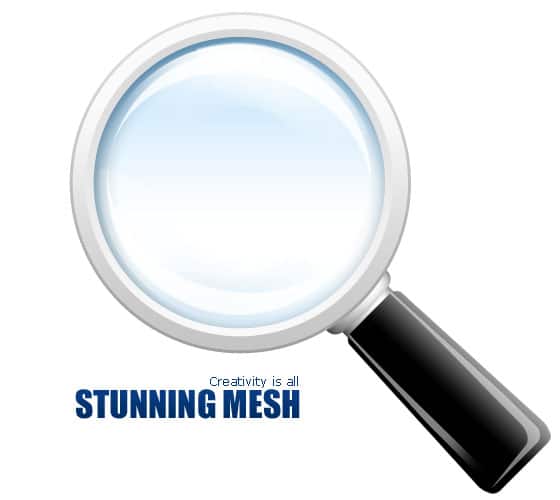
You must have seen Magnifying Glass pictures, today we are going to make it by our self. A bit long tutorial, but interesting one. We will be using some Filters, Blending options and tools for making Magnifying Glass. So come and lets start making Magnifying Glass in Photoshop.

Here is another way to make box, but this time, Popcorn Box in Photoshop. Not a very difficult way to make it. It is an interesting technique. You will use some tools by making this, so it will teach you to use these tools too.
